


LC provides various web services, including CDash CMake dashboards, Atlassian tools Confluence and Jira, Jupyter notebooks, and the MyLC portal. Authentication to LC web services is unified between these applications and happens at least once per day.
For both CZ and RZ, accessing LC web services looks like:
- Navigate to an LC web services page.
- For CZ users connecting from the general internet, a required pre-login page is first shown.
- Select authentication method:
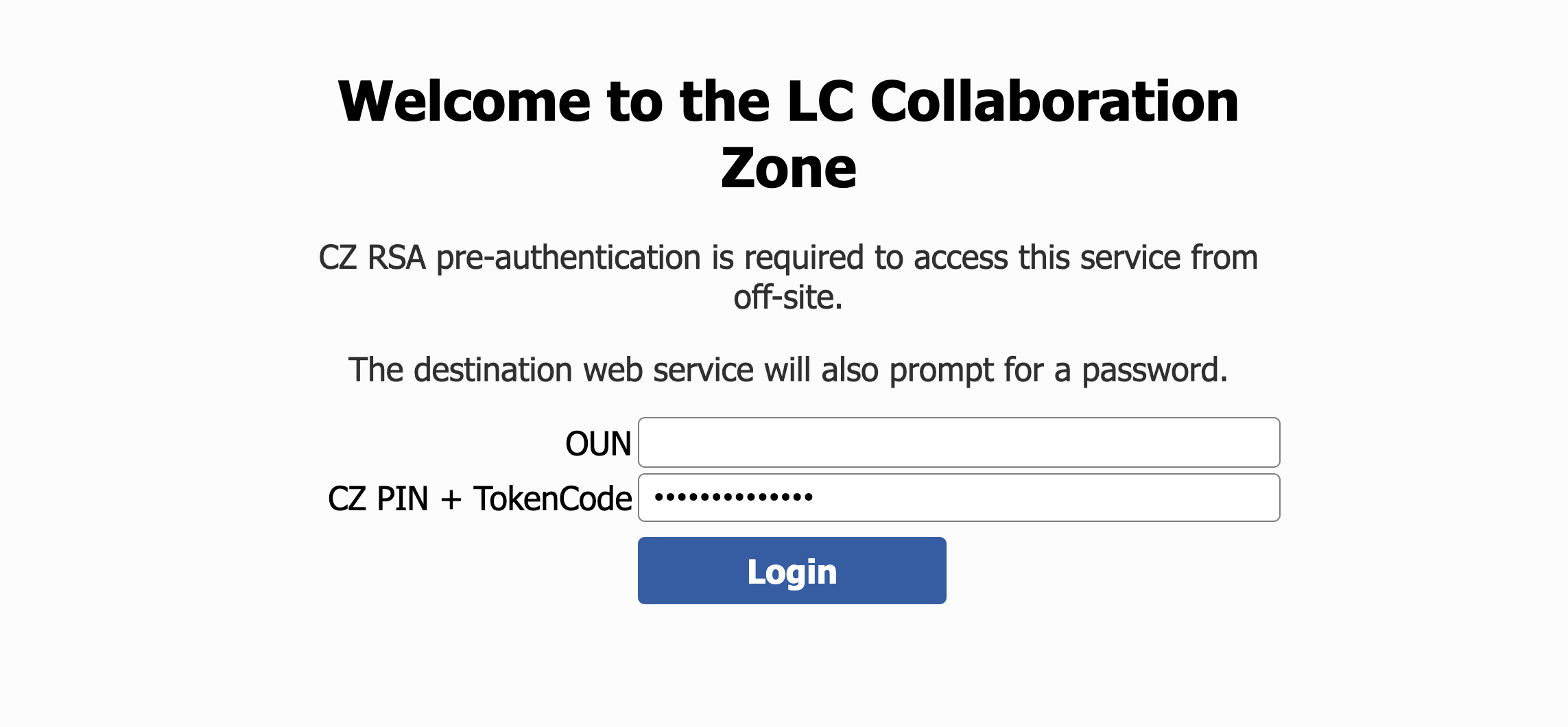
- OTP token-based authentication. On the following page, enter:
- Username: LLNL Official User Name (OUN)
- Password: PIN + OTP token for the appropriate zone
- DOE OneID-based authentication. On the following page, select the appropriate authentication method:
- For authentication with HSPD-12, it is recommended to select "DOE PIV Card"
- For site-local authentication, select the appropriate DOE site.
LLNL users with an LLNL-issued MyPass may select LLNL from this screen to view the MyPass login option.
- OTP token-based authentication. On the following page, enter:
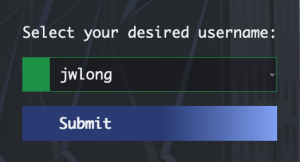
- Once authentication is complete, users with multiple LC identities (such as service user accounts) will need to select the LC identity with which you wish to login.
Some web services, namely gitlab, can be accessed from the command line. For details, see Getting Started on LC Gitlab.
Step-by-Step
- CZ Web Services
-
1. Navigate to an LC web service page, or visit cz-auth.llnl.gov.
2. If needed, authenticate to the pre-login page
3. Select an authentication method
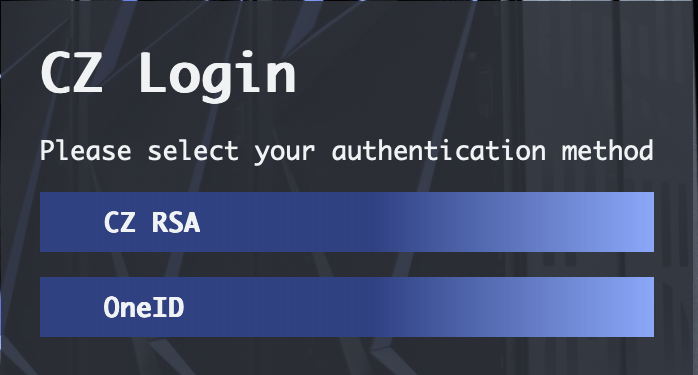
3a. Selecting "CZ RSA" will allow use of an LLNL-issued RSA token.

User ID: OUN
Password: LLNL PIN + LLNL RSA token
3b. For DOE OneID authentication, select the appropriate method or site.
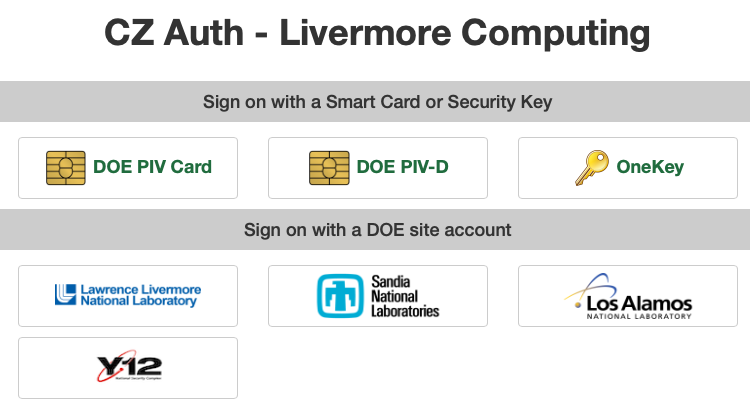
For authentication with HSPD-12, it is recommended to select "DOE PIV Card"
For site-local authentication, select the appropriate DOE site. LLNL users with an LLNL-issued MyPass may select LLNL from this screen to view the MyPass login option.
4. If needed, select desired LC identity
- RZ Web Services
-
1. Navigate to an LC web service page, or visit rz-auth.llnl.gov.
3. Select an authentication method
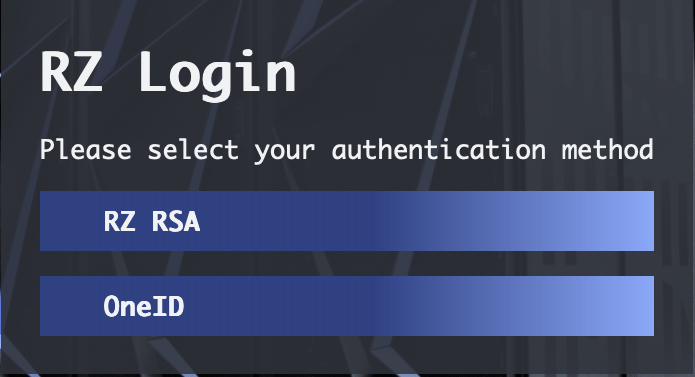
3a. Selecting "RZ RSA" will allow use of an LLNL-issued RSA token.
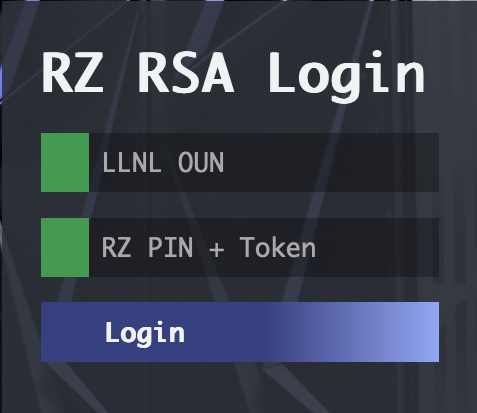
User ID: OUN
Password: PIN + RZ RSA token
3b. For DOE OneID authentication, select the appropriate method or site.
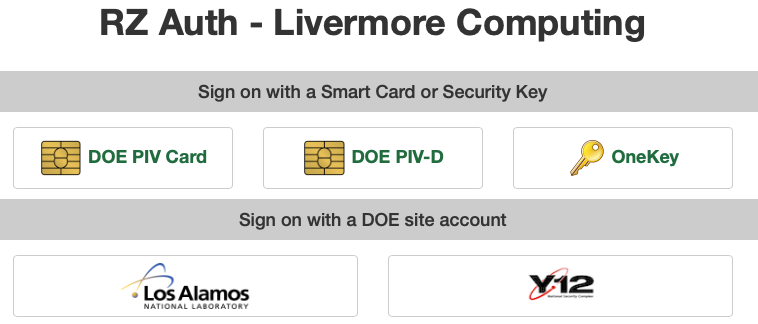
For authentication with HSPD-12, it is recommended to select "DOE PIV Card"
For site-local authentication, select the appropriate DOE site. LLNL users with an LLNL-issued MyPass may select LLNL from this screen to view the MyPass login option.
4. If needed, select desired LC identity
- SCF Web Services
-
1. Navigate to the LC web service page, or visit scf-auth.llnl.gov.
2. Select an authentication method. Both RSA tokens and ESN Hub ePKI credentials are accepted. Additional details available in TB #599.
3. If needed, select the desired LC identity.